Frame the source first
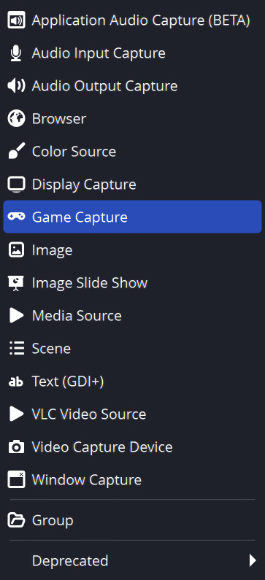
Add the desired window as a source. Decide which keys, hands and labels must remain visible, adjust the source crop, then position it within the canvas.
Place portrait material on a wide canvas
Stretching a narrow image to 16:9 changes the width of every white key. Preserve its aspect ratio and use the remaining space for a background or teaching notes.
| Crop | Remove unwanted borders while preserving proportions |
|---|---|
| Non-uniform scaling | Changes key widths and hand shapes; inspect the result |
Review the recorded file
Changing browser zoom or window size can alter the crop. Record ten seconds and inspect the outer fingers, lowest note and any browser tabs that should be outside the picture.
Crop the source before fitting the layout
If the source includes controls, stretching it to fill the canvas first makes the controls part of the working aspect ratio. Select the OBS source, crop the unwanted borders and then fit the remaining rectangle proportionally. On Windows, Alt-dragging a source edge in the preview is one available crop gesture.
Compare white-key widths and the number of visible keys against the source window. Missing outer keys may indicate excessive fill scaling. Letterboxing can be preferable to distorted key widths or clipped fingers in a teaching video.
Make the capture repeatable across sessions
Desktop display scaling, source window size and browser zoom can all change a previously correct crop. Restore the intended window size before adjusting the source and retain a reference still. Lock the finished source to prevent accidental drags in the scene.
In the recorded file, inspect the lowest key, outer treble finger and upper edge where tabs or notifications might appear. If something looks cropped only during playback, fit the entire file in the player before changing OBS again.
Will a higher recording resolution sharpen small, enlarged note labels?
Not if the source window supplied only a few pixels per character. Increase the rendered source size where possible, capture again and reset the crop. Compare the finished files at viewing size using a demanding label such as F♯.