Zoom into the boundary
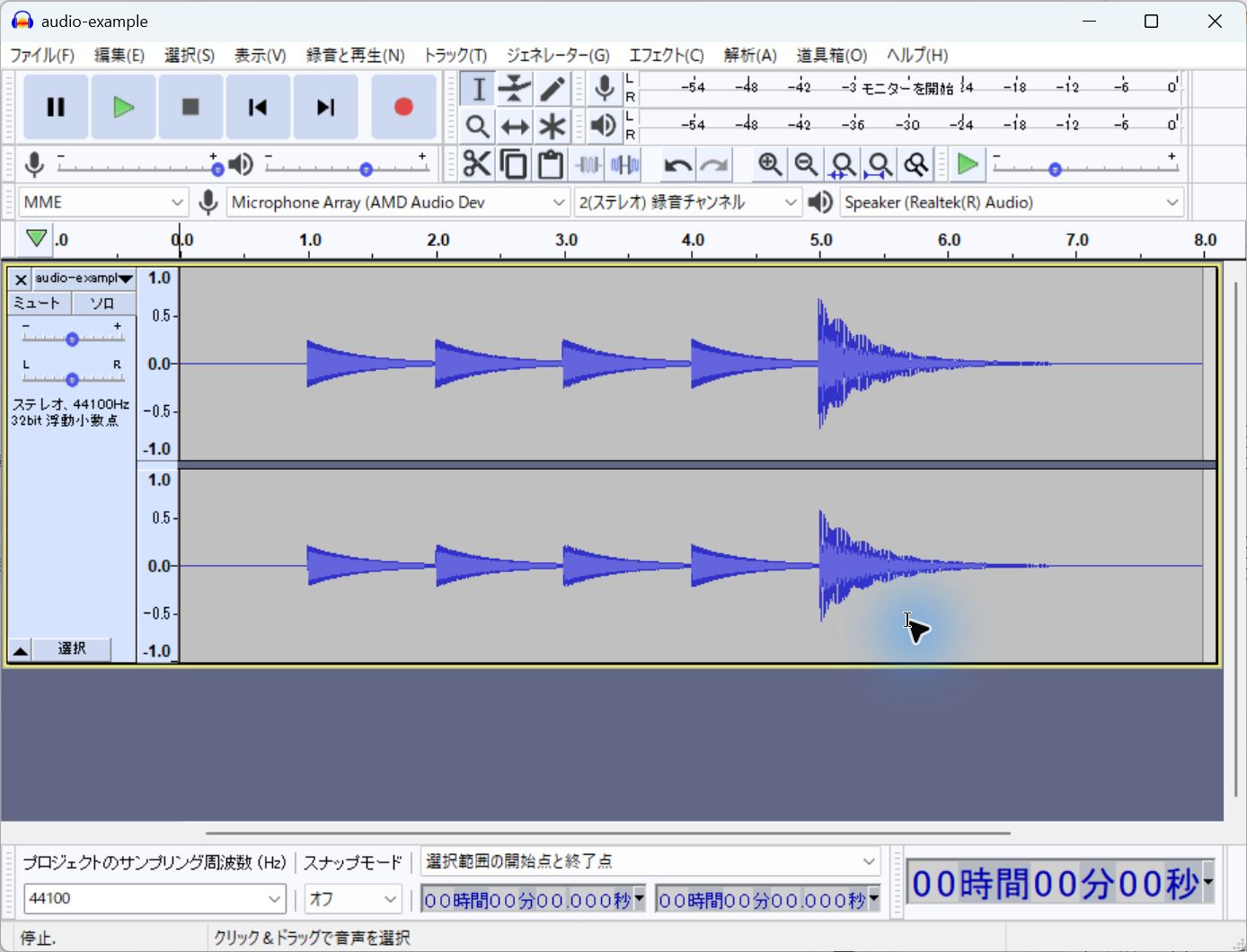
Look at a few milliseconds around the cut. Does the waveform end abruptly away from the centre line? Listen to the original to establish whether the click was recorded or introduced by the edit.
Compare a short fade
For a cut in a decay, try a 5–10 ms fade on a copy, then adjust by ear. Confine it to the join. Applying it to a piano attack may soften the note you wanted to preserve.
| Click present before editing | Inspect the original attack or recording environment |
|---|---|
| Click appears only after editing | Zoom into the cut and try a short fade |
Match levels for the check
Listen quietly on headphones. The goal is a clean join with the natural tail intact. Remember that the two stereo channels need not cross zero at the same instant.
What a zero crossing can and cannot fix
An abrupt jump from a non-zero sample to silence can add a sharp click. Zoom to a few milliseconds and audition a cut where the decay approaches the centre line. Audacity’s zero-crossing selection can help locate a nearby candidate.
Joining two recordings is more complicated. Both waveforms might pass zero, yet one is rising and the other falling, leaving a conspicuous change at the join. A zero crossing is a good edit candidate, not a substitute for listening across the boundary.
Compare short fades at the same boundary
At 48 kHz a five-millisecond fade covers 240 samples. Duplicate the cut and fade only the final five milliseconds in one copy. Select immediately before the cut so that you do not accidentally soften the next attack. If ten milliseconds makes no improvement, verify the click’s actual location before extending the fade farther.
Listen left alone, right alone, then together. A click confined to one channel can be missed in a full mix. If the same transient exists in the source, it may be key or pedal noise rather than an edit discontinuity; preserve the musical attack while deciding what to treat.
Why is there still a thump after fading the cut?
An edit discontinuity and mechanical key or pedal noise have different durations and locations. If moving the cut slightly leaves the thump attached to the same note, it may be in the recording. Compare neighbouring attacks before considering a local replacement from another take.