Listen from the final note through the decay
Open the recording and play its ending. Identify the moment the last key is struck and the quieter resonance that follows it.
If the recording already cuts off during the note, a fade cannot recreate the missing resonance. Use a longer original take if one is available.
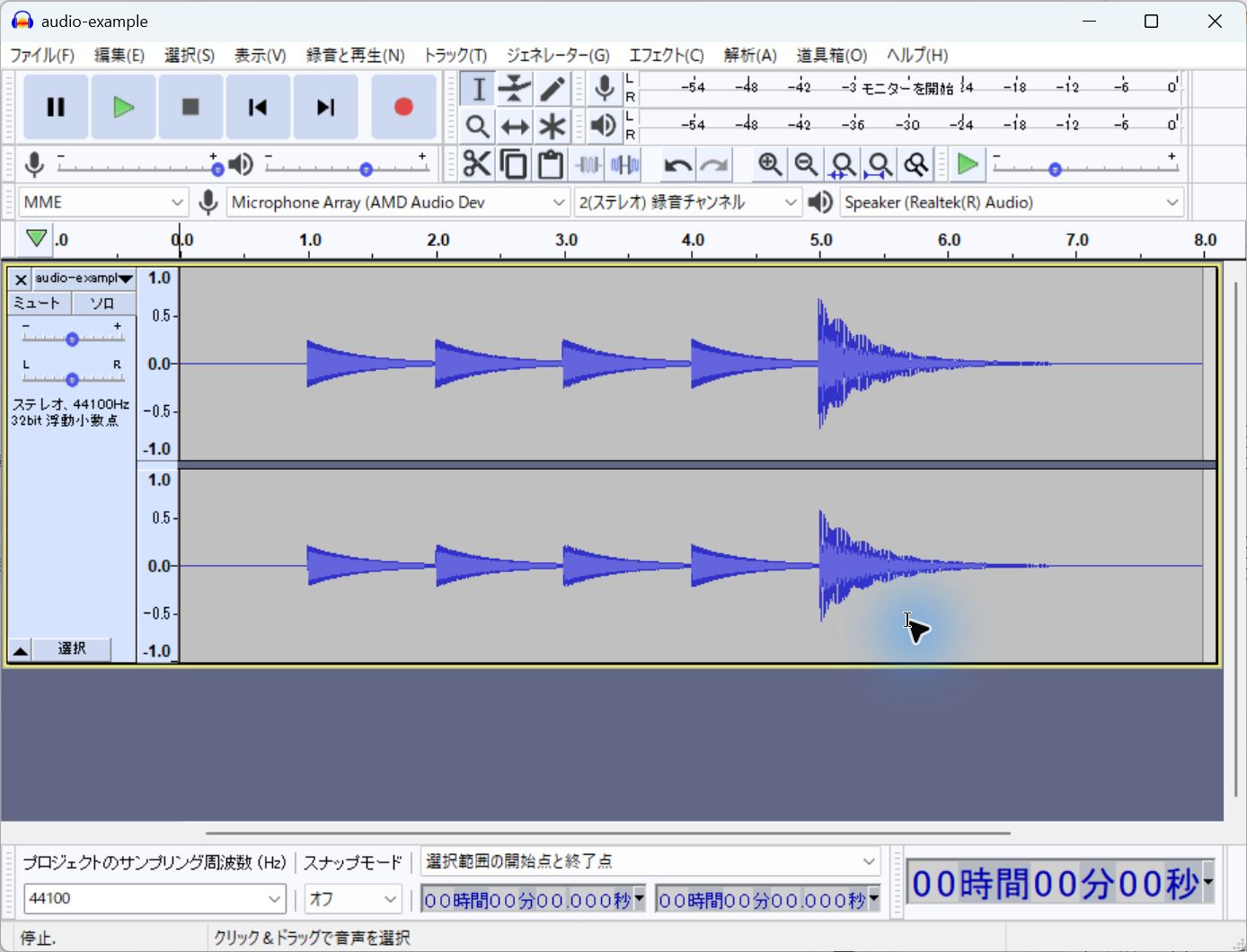
Select the passage that should become quieter
Zoom in at the end and drag from a point within the decay to the end of the audio. One or two seconds can be an initial trial, but choose the length by listening.
Check the selection's start and end times. If the selection stops before the actual end, the remaining audio may return abruptly at its original volume after the fade.
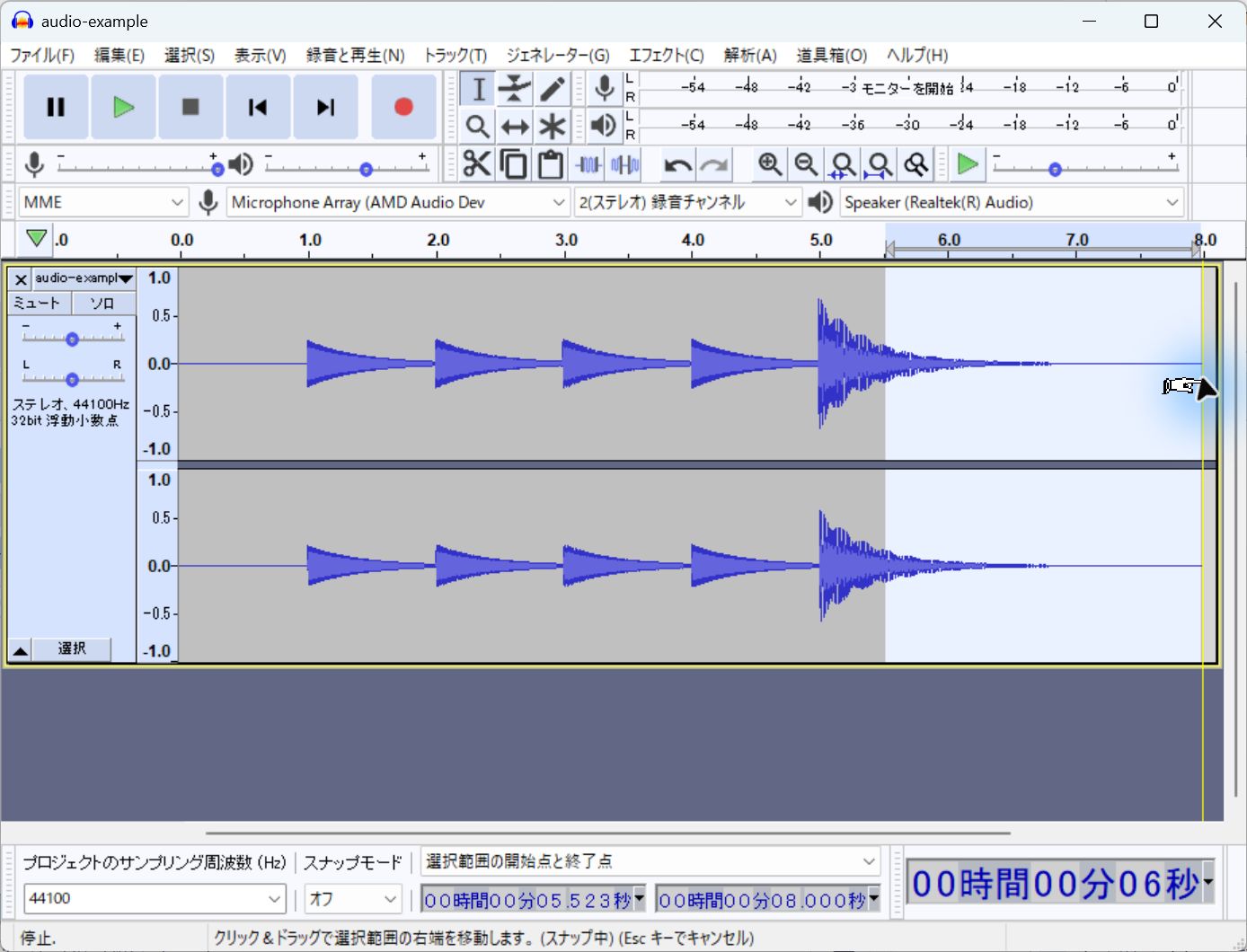
Apply the Fade Out effect
With the passage selected, choose Effect → Fade Out. In newer versions, look in the fading effects submenu. The selected sound becomes progressively quieter toward its end.
Play from a few seconds before the selection, rather than listening only to the faded part. This reveals whether the change begins too suddenly.
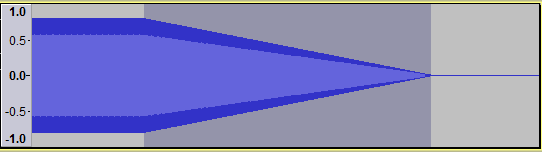
Undo and adjust an unnatural fade
If the note disappears too early, undo the effect and try starting the fade later. If the ending still feels abrupt, try a longer fade beginning slightly earlier.
Undo before testing another version instead of repeatedly applying the effect to already faded audio. That makes the different selection lengths easier to compare.

Export the complete WAV and match the video ending
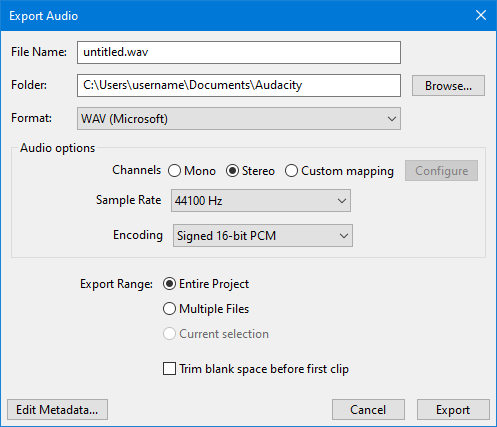
Export the whole recording as a new WAV, checking that you have not exported only the selected final seconds. Confirm the file's duration before importing it into your video project.
If the picture ends before the audio, extend the final image where your editor allows it. Open the exported MP4 and check the last few seconds of both picture and sound.
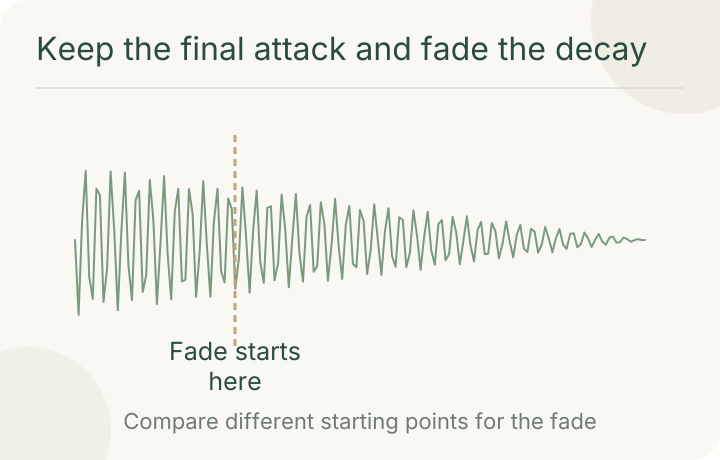
Keep the final attack and fade the remaining resonance
A fade that begins too early can weaken the final chord itself. Start by leaving the final key strike intact and selecting only the later resonance.
Listen again from before that chord. A natural acoustic ending may need no fade at all; choose the treatment that suits the recording, then match the video's end to the audio.
Frequently asked questions
Does every piano recording need a fade-out?
No. If the piano's natural resonance already ends well, preserving that decay may be the best option.
Does fading the picture also fade the sound?
Picture and audio are separate controls. Check both in your video editor and in the exported MP4.