Inspect and listen to both stereo channels
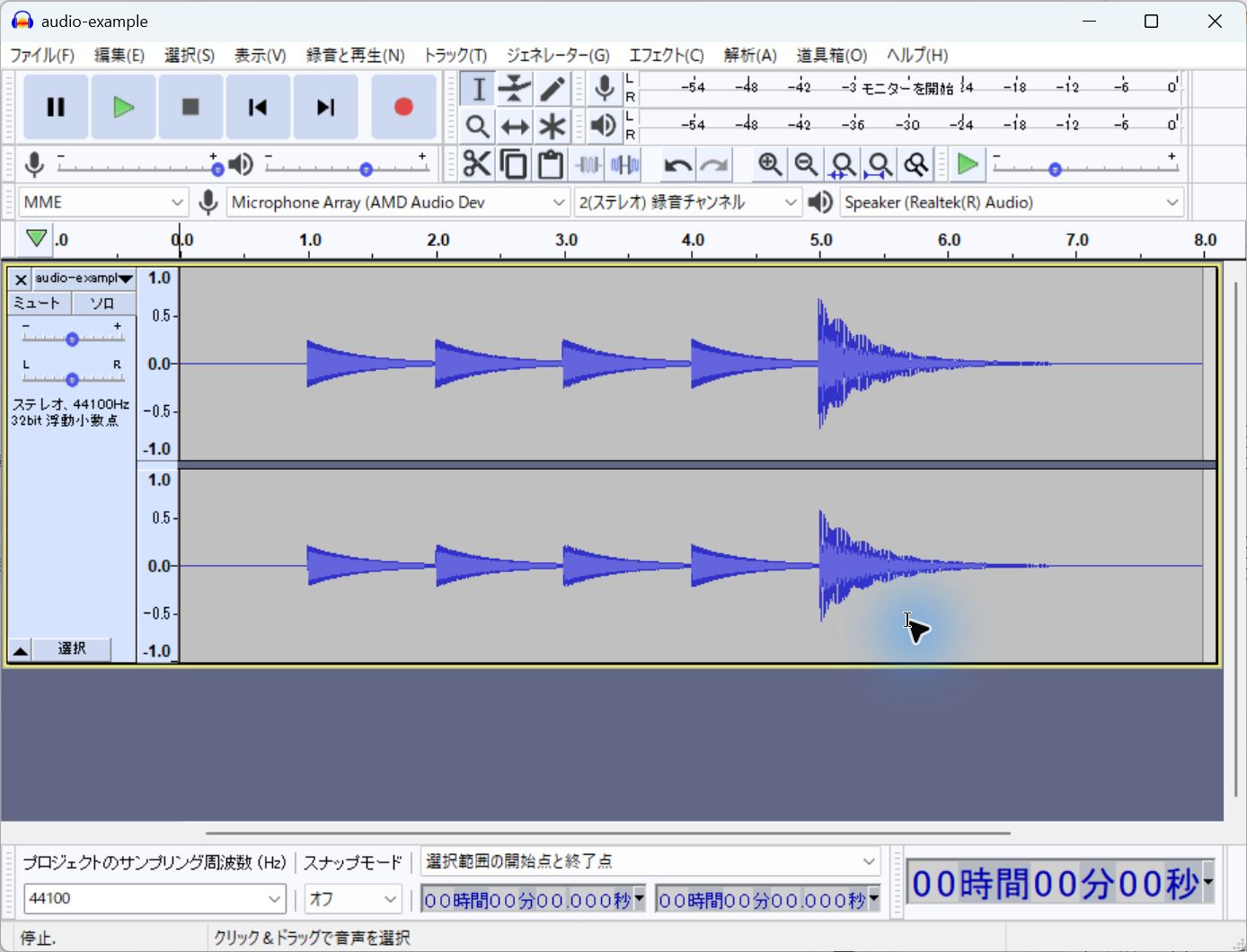
A stereo track displays two waveforms, one above the other. Check whether one is flat or whether both contain different parts of the recording.
Listen with headphones as well. If one side is only quieter, do not delete it automatically: it may contain useful microphone sound or part of the piano's stereo image.
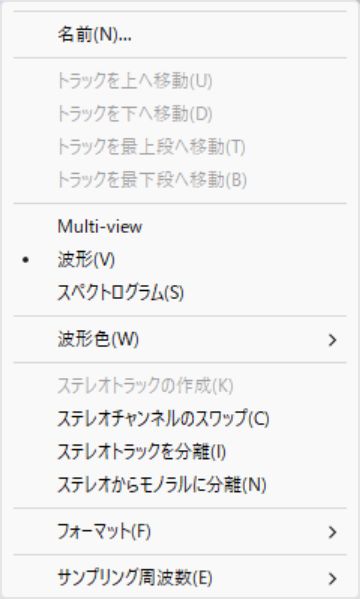
Choose Split Stereo to Mono
Open the track menu near the track name to the left of the waveform. Choose Split Stereo to Mono to turn the two channels into independent mono tracks.
Check the command carefully: Split Stereo Track is a different operation. You need to be able to work with each side independently and place the useful mono track in the center.
Remove the empty track and center the remaining audio
Play each track separately to identify the useful recording. Close only the track that contains no needed sound, then set the remaining track's pan control to the center.
If the unwanted side contains noise, still check that there are no piano notes you need before removing it. Use Undo if you remove the wrong side.
Listen for a centered sound
Play the remaining track through headphones. The same performance should be audible from both sides when the mono track is centered.
This places one recording in the center; it cannot restore stereo information that was never recorded. If both original sides contain useful material, investigate their balance instead of discarding one.

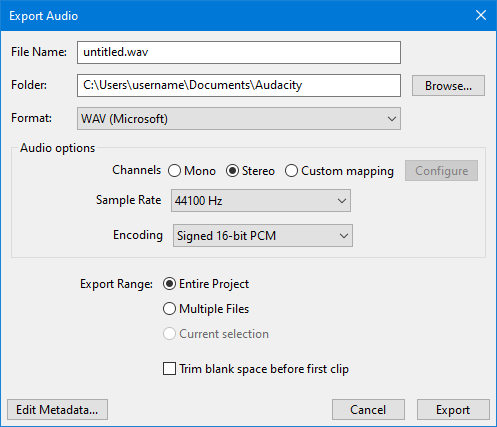
Export a mono WAV for the video
Export the corrected recording as a mono WAV under a new filename. Open it in another player and check that neither side is missing.
Replace the old audio in your video project, or mute it before adding the new file. Leaving the original one-sided track playing underneath can make one channel louder again.
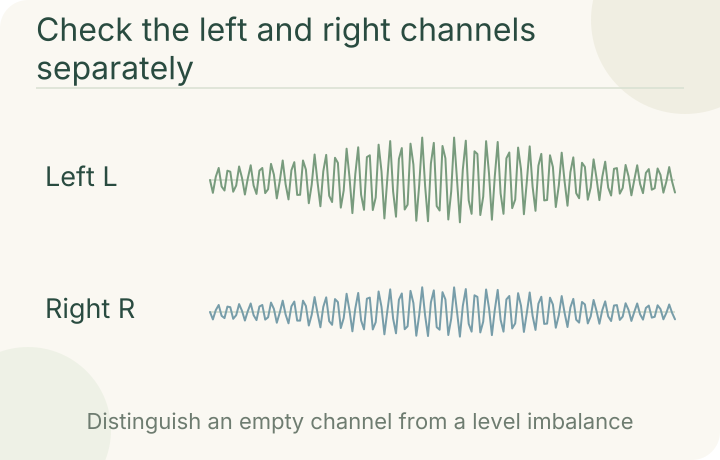
Treat an empty channel differently from an uneven balance
When both waveforms contain music, a level difference may be intentional or caused by microphone placement. Compare a balance adjustment before deciding to remove a channel.
For a file with useful sound on only one side, the mono workflow is appropriate. Finish by checking both headphones and a speaker, and listen for any remaining sense that the recording is pulled to one side.
Frequently asked questions
Is mono lower quality than stereo?
Mono and stereo describe channel arrangements, not quality by themselves. Choose the arrangement that matches how the sound was recorded and how it will be used.
Should the right hand be heard on the right and the left hand on the left?
That is optional. Visual hand labels and audio placement can be handled separately, especially when some listeners may hear only one channel.