Add piano to a new score
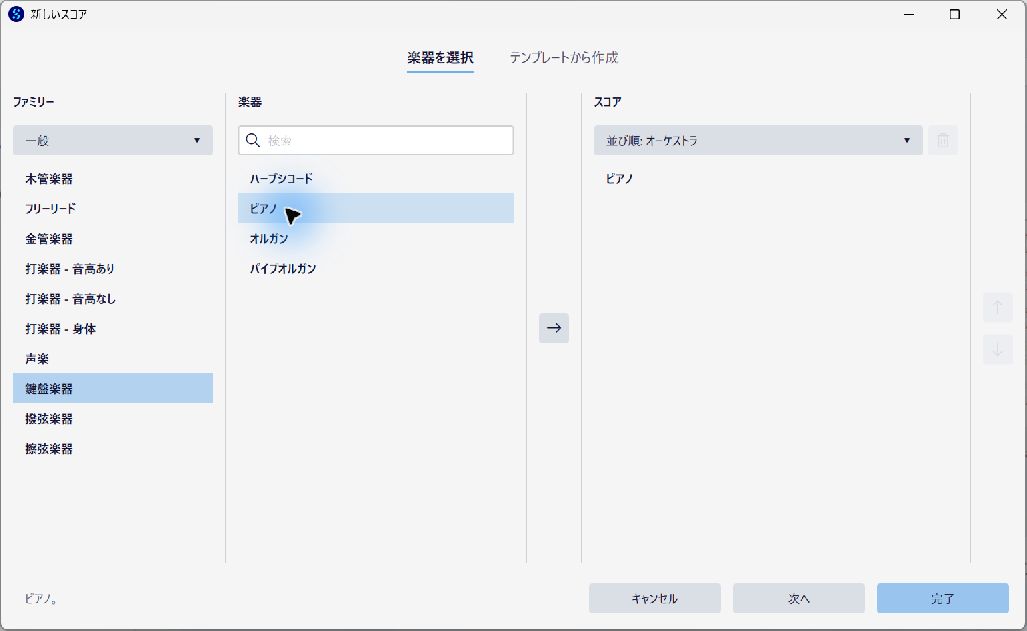
Choose File → New. Under keyboard instruments, add Piano and check that it appears in the selected-instrument list before continuing.
A piano score gives you treble and bass staves. You can begin with a melody on the upper staff and add accompaniment on the lower staff later.
Start with four bars in 4/4
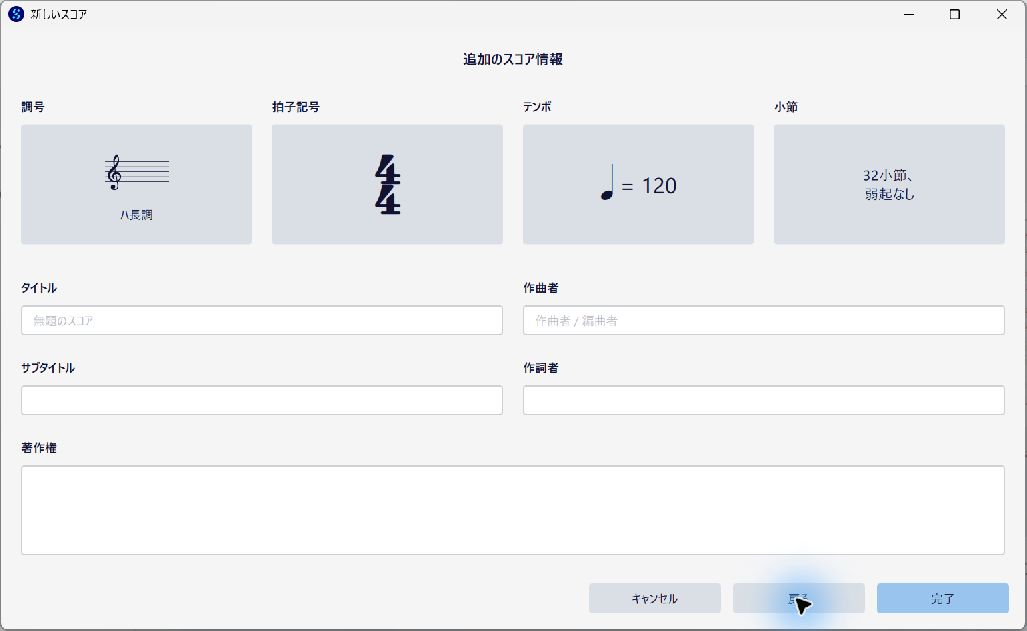
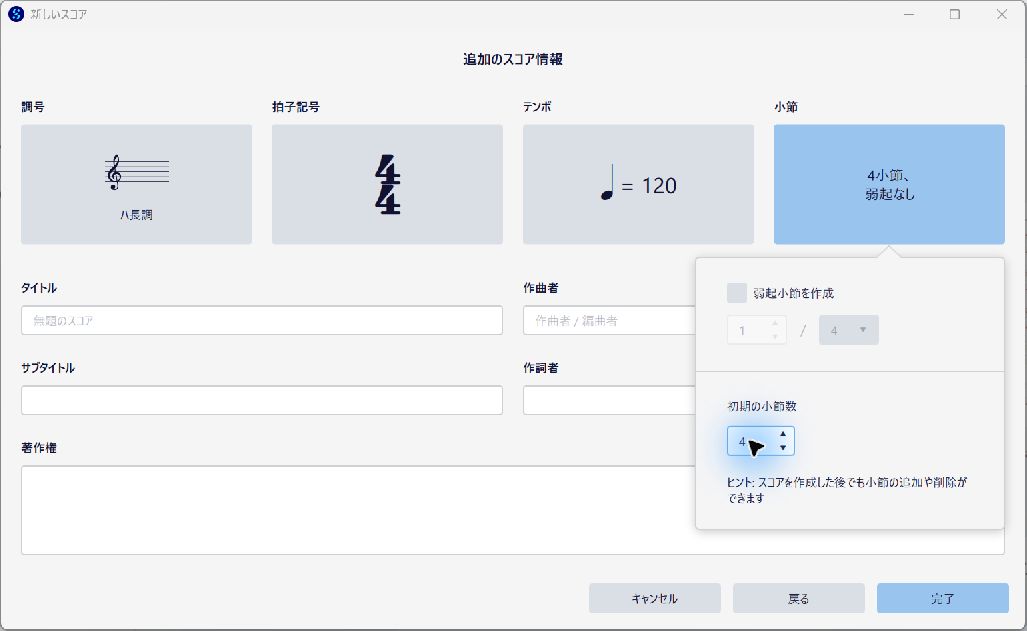
Choose a 4/4 time signature and four initial bars. Set a comfortable tempo so you can hear the notes clearly while learning the controls.
Enter a title and finish the setup. The score opens with rests. You do not need to fill every bar before testing MIDI export.
Enter C, D and E
Select the first rest on the upper staff and press N for note input. Choose a quarter-note duration in the toolbar, then click the staff positions for C, D and E. The cursor advances as each note is entered.
Choose duration before placing the note. Press Esc to leave input mode; select an incorrect note and use the up or down arrow to change its pitch. Check which staff you selected. A short melody plus one sustained bass note is enough for an initial export test.
Listen to pitch and duration
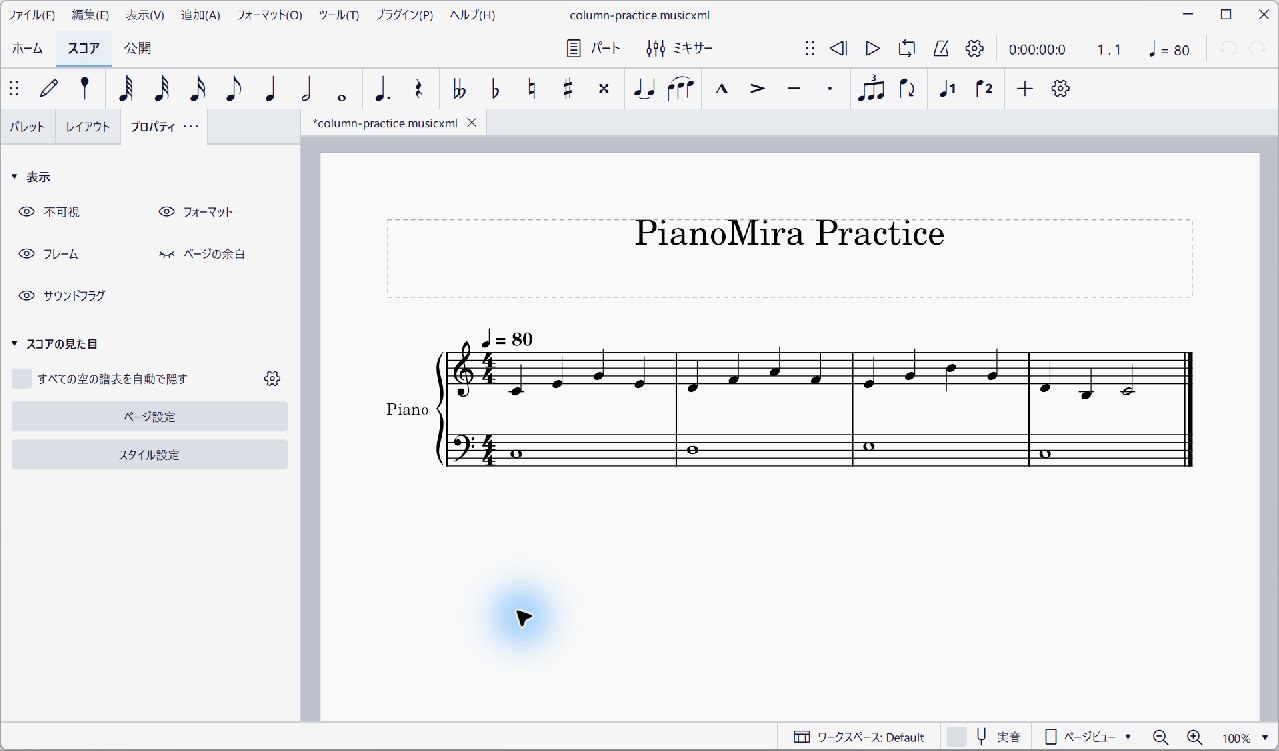
Press Esc, select the first note and press Play. Listen for the intended pitches and check whether any note lasts too long.
The example score has a melody above sustained accompaniment. You can open the supplied MusicXML to compare the notation and playback rather than relying on the staff's appearance alone.
Download the matching MusicXMLExport MIDI and save the editable score
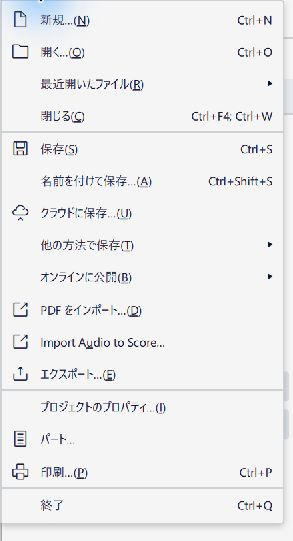
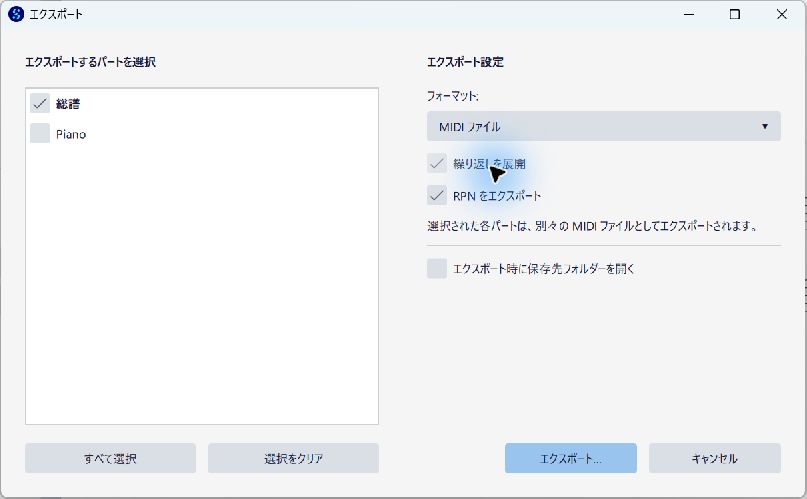
Open File → Export, select the full score and choose MIDI file. Click Export, then choose a destination and filename.
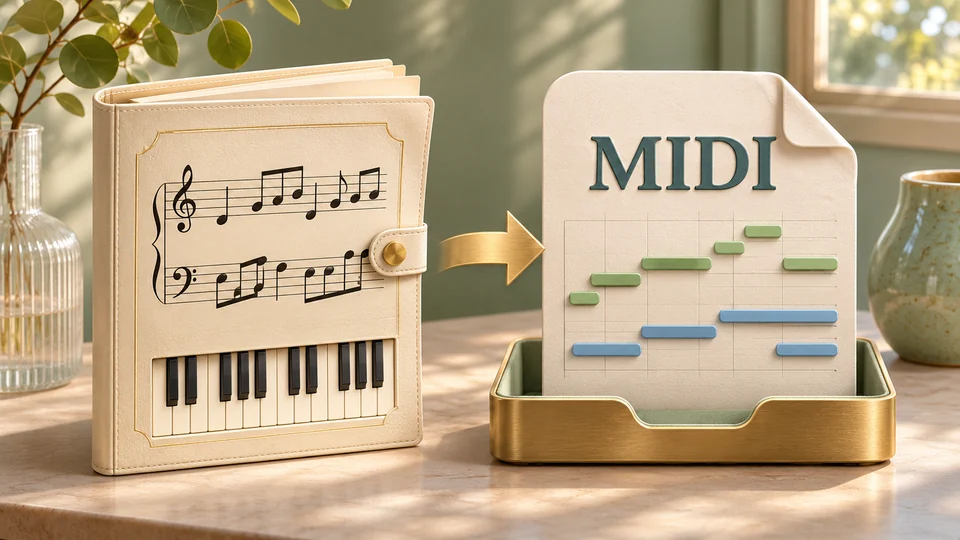
Also save the score in MuseScore's own format. MIDI is the file you send to another app; the MuseScore score is the version you keep for editing. A simple four-bar test makes reversed hands or an octave error easier to notice than a dense full piece.
Open the MIDI in the receiving app
Import the saved .mid into Synthesia or PianoMira and check the first and last notes. If something is wrong, return to the MuseScore score, correct it and export the updated MIDI.
Give the editable score and its exported MIDI matching names. Check the extension and destination folder so you can tell which version the receiving app is using.